

For MyPost Business + thermal printer users
Stop fighting Adobe to print a shipping label.
Drop it. Crop it. Print it.
No more cropping in Acrobat. No more print settings. No more wasted labels. Download your MyPost PDF and it prints to 4×6 automatically.
Works with Australia PostDymo · Zebra · BrotherReplaces Adobe AcrobatMade in Australia
14-day free trial · No credit card · Then $79/year or $9/month
Your workflow today vs. with LabelChop
From 7 steps to 2
Every seller we talked to described the same nightmare.
Before~5 min per label
- 1Download A4 PDF from MyPost Business
- 2Open in Adobe Acrobat or Chrome
- 3Try to crop — “page size may not be reduced”
- 4Screenshot, paste into Word, resize
- 5Open printer dialog, pick 4×6 paper
- 6Print… label is off-centre, try again
- 7Finally stick it on the box
After~3 seconds
- 1Download A4 PDF from MyPost Business
- 2Label prints on your thermal printer
A4 PDF
Built for sellers who ship daily
eBay · Shopify · Etsy · Amazon AU sellersHome office and small warehouse teamsAnyone using MyPost Business with a thermal printer
Works with MyPost Business
MyPost Business exports A4 PDFs with a label crammed into one corner. LabelChop detects it, crops to 4×6, and fires it to your thermal printer. No Acrobat. No print dialogs.
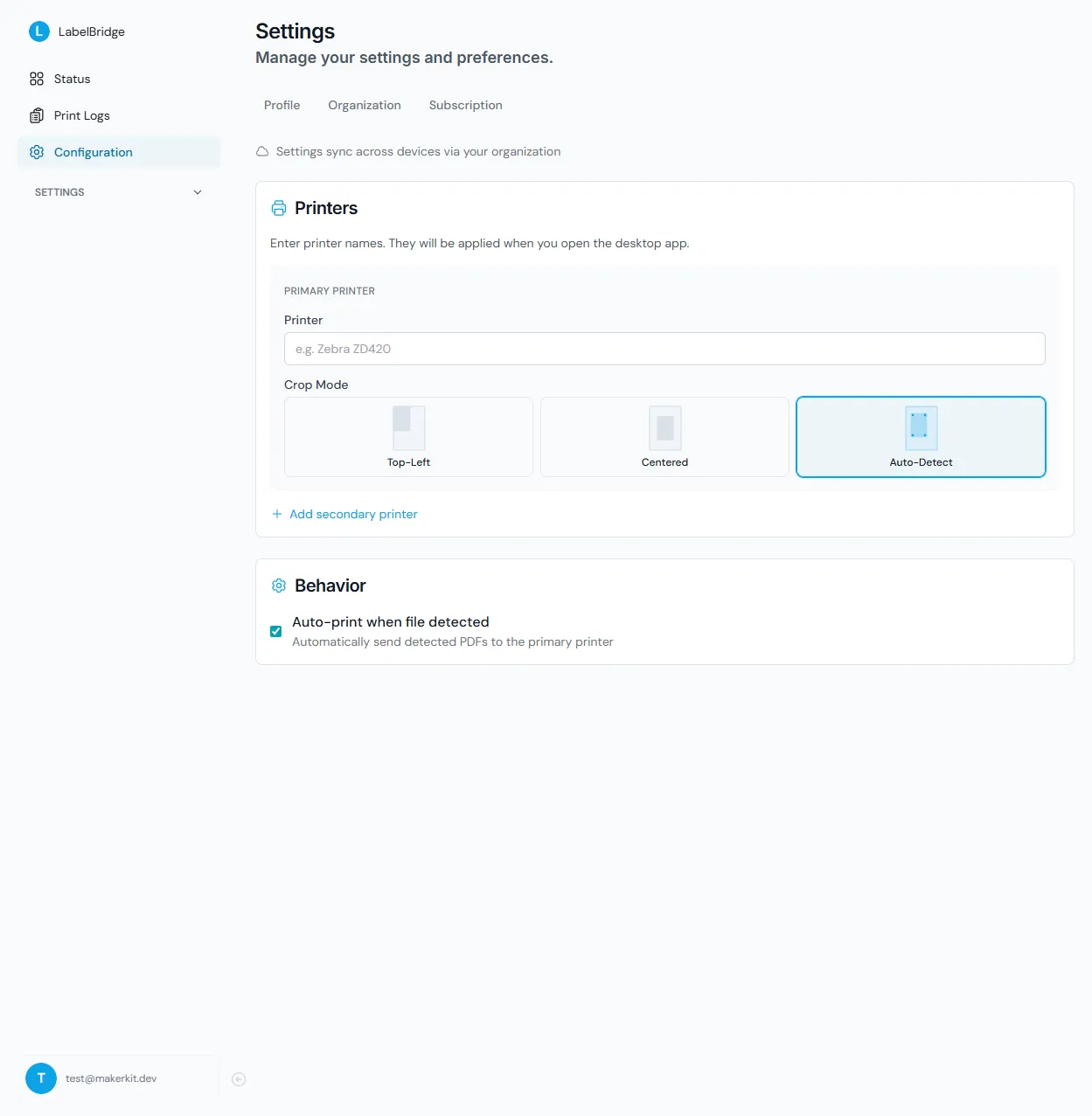
- Auto-detects label position: top-left, centred, anywhere on the page
- Handles single and multi-label PDFs from any carrier
- Outputs 100×150mm (4×6″), no more off-centre prints
Set it up once, forget about it
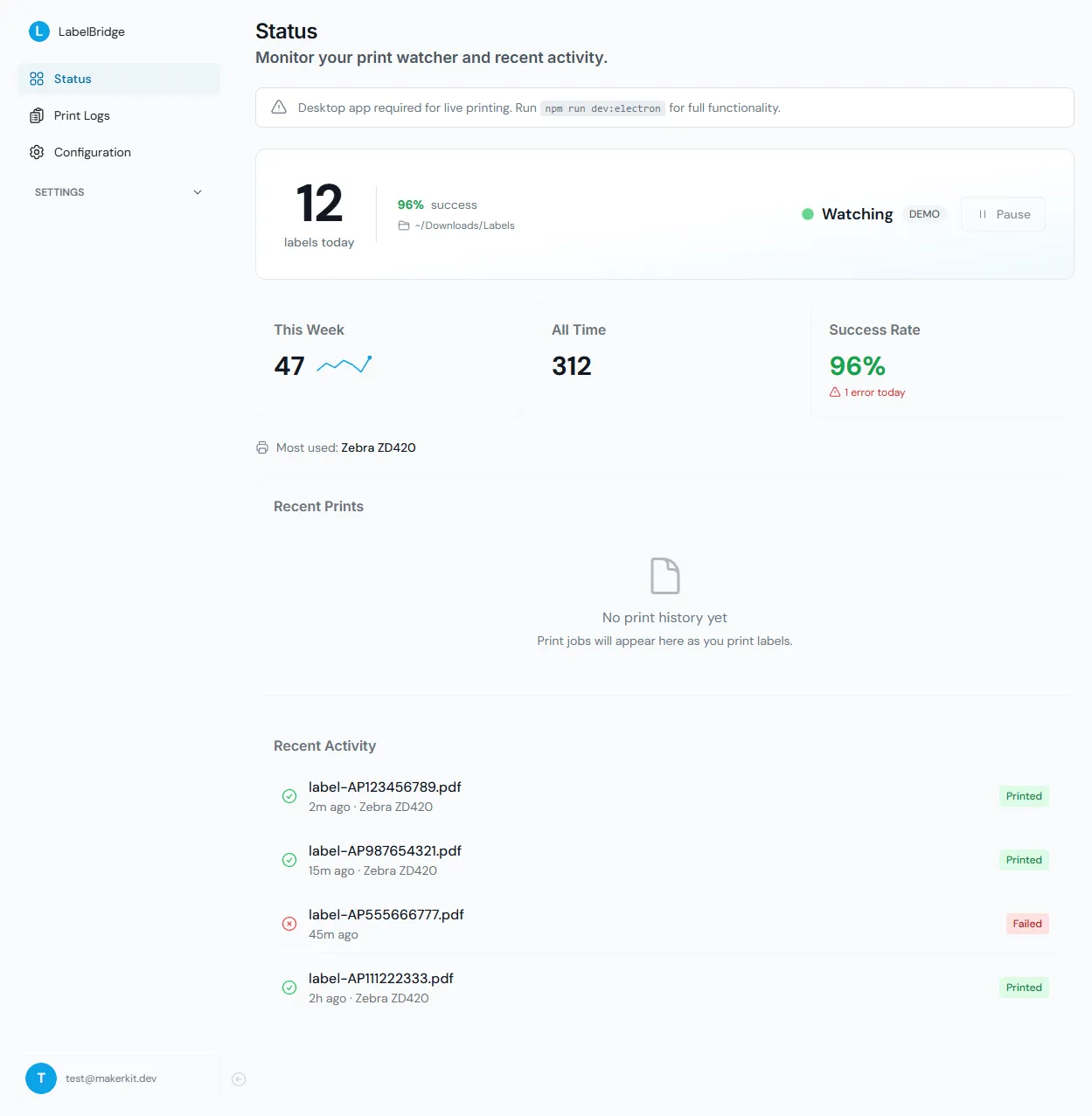
Point it at your Downloads folder, pick your thermal printer, and you're done. LabelChop runs in your system tray. It's there when you need it, invisible when you don't.
- Choose your watch folder and thermal printer
- Runs in the system tray, zero taskbar clutter
- Works fully offline after activation
Frequently Asked Questions
Ditch Acrobat. Start printing labels in 2 minutes.
Download now. Your next label prints itself.
Download for Windows
Free for 14 days · Then $9/month or $79/year · See pricing details