

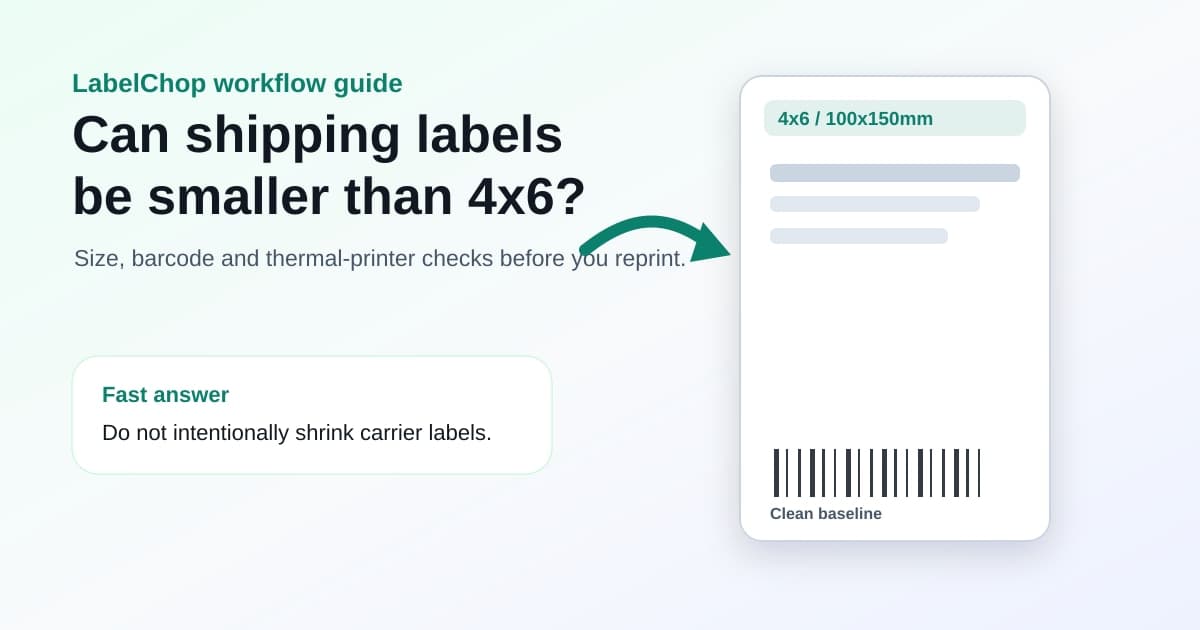
Shipping labels can be smaller than 4x6 when the carrier or marketplace created them that way, but that is different from accidentally shrinking a normal 4x6 label in print preview.
If you downloaded a 4x6 label and it printed tiny, do not stick it on the parcel and hope the scanner copes. The barcode, QR code, tracking number, address and service details all need to stay readable. A label that looks neat but prints at the wrong scale can still cause delays at the counter, in a depot or during delivery.
This guide explains the practical difference between a legitimate smaller label and a shrunken PDF. If your label is already printing tiny, start with the shipping label printing too small checklist. If you are setting up the printer from scratch, use the 4x6 shipping labels print settings guide.
In this article:
- The short answer
- When a smaller shipping label can be okay
- When a shipping label is too small
- 4x6, 100x150mm, A6 and smaller labels
- Why PDFs accidentally shrink on thermal printers
- How to check a small shipping label before mailing
- How to fix a label that printed too small
- When to automate the crop and print workflow
- Related guides and tools
The short answer
A shipping label can be smaller than 4x6 only when the label format you were given is meant to be printed at that smaller size and still keeps all required information readable.
Do not intentionally shrink a 4x6 label to save paper, squeeze it onto a half label or make it fit a random sticker. That can compress the barcode, reduce quiet zones around the barcode, make the address harder to read and move important service details too close to the edge.
The safer rule for ecommerce thermal printers is simple.
| Situation | What to do | |---|---| | PDF is already 4x6 or 100x150mm | Print at actual size or 100 percent | | PDF is A4 or Letter with a label inside it | Crop or convert the label area to 4x6 first | | PDF was generated by the carrier at a smaller size | Print at the generated size if your printer and stock match | | Label accidentally printed tiny | Reprint after fixing PDF size, paper size and scale | | Barcode or address is hard to read | Treat it as too small and reprint |
If you are unsure what size the PDF actually is, check it before printing more test labels. The free shipping label size checker can identify whether a PDF is A4, Letter, A6, 4x6, 100x150mm or an awkward custom size. Once you know the page size, the carrier requirements label checker helps review margins, scale, barcode sharpness and sample-label risk before you use the print on a live parcel.
When a smaller shipping label can be okay
Some postage systems, return workflows and marketplace labels can generate formats that are not exactly 4x6. A label can be valid when the carrier or marketplace produced that format and the final print is readable. Vinted sellers have the same split: a label-free code path may not need a printer, while a downloaded PDF should be checked before sending it to thermal stock. The Vinted shipping label size guide walks through that PDF-size check for 4x6 printers.
The important distinction is source size versus accidental print size.
If the original PDF page is small and the label fills that page cleanly, your job is to print that page at the intended scale on matching stock. If the original PDF is 4x6 but your output is half-size, the print workflow changed it. That is the problem.
A smaller label needs to pass a practical inspection.
- The address is readable without squinting.
- The tracking number is readable.
- The barcode or QR code is sharp, not fuzzy or compressed.
- There is clear blank space around the barcode.
- No service name, return detail or routing mark is clipped.
- The label is stuck flat on the parcel without wrapping around edges.
If any of those fail, reprint. The cost of one label is lower than a delayed or rejected parcel.
When a shipping label is too small
A shipping label is too small when the printed output no longer gives the carrier a clean, readable label.
This often happens after a PDF viewer silently shrinks the page. You might see a tiny label floating in the middle of a 4x6 sticker, a barcode that looks compressed, or large white space around the whole label. The printer may be working perfectly. The print dialog simply sent the wrong scale.
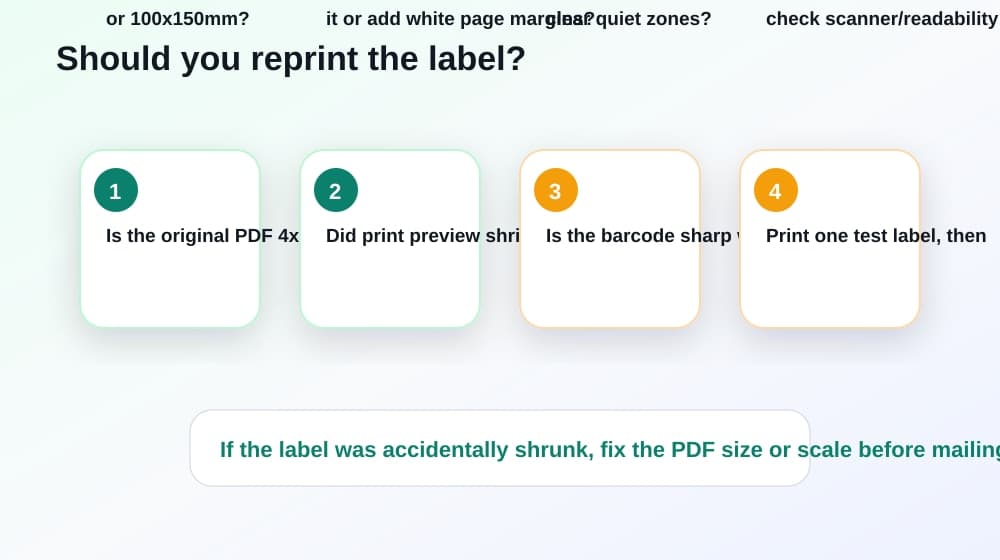
Use this quick triage.
- If the printed label is smaller than the preview, check printer paper size and scale.
- If the preview already shows a tiny label, cancel and fix the PDF workflow.
- If the barcode is fuzzy, avoid screenshots and reprint from the original PDF.
- If the label is cut off rather than small, use the shipping label cut-off guide.
- If the label is oversized or spread across two stickers, use the too-big troubleshooting checklist.
Do not judge size by the sticker alone. Judge the printed barcode, address and routing details.
4x6, 100x150mm, A6 and smaller labels
Most ecommerce sellers using desktop thermal printers are trying to print 4x6 inch labels or the close metric equivalent, 100x150mm.
A 4x6 label is 101.6x152.4mm. A 100x150mm label is slightly smaller, but common in Australia, the UK and Europe. Many seller workflows treat them as the same practical thermal-label size.
A6 is different. A6 is about 105x148mm, so it is wider and shorter than 4x6. It can work when the PDF and label stock are both intended for A6, but it is not a perfect substitute for every 4x6 carrier label. If you are choosing between those presets, use the A6 label size vs 4x6 thermal-printer settings guide before changing the driver.
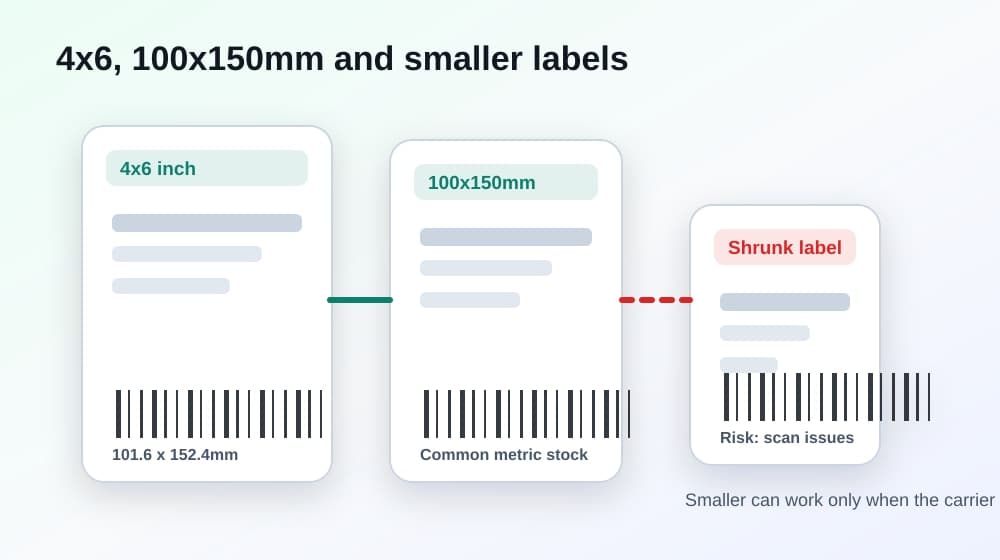
Here is the practical size map.
| Label format | Approximate size | Use it when | |---|---:|---| | 4x6 inch | 101.6x152.4mm | The carrier or marketplace provides a 4x6 PDF | | 100x150mm | 100x150mm | Your label roll and driver use the common metric equivalent | | A6 | 105x148mm | The PDF and stock are genuinely A6 | | A4 | 210x297mm | You are printing to office paper, or you need to crop before thermal printing | | Letter | 8.5x11 inches | You are printing to office paper, or you need conversion first | | Random smaller sticker | Varies | Only safe when the label source was designed for it and remains readable |
If you are buying thermal stock, pick the stock your printer and shipping workflow expect. Do not choose a smaller label just because it is cheaper unless you have tested the real carrier labels you print every day.
Why PDFs accidentally shrink on thermal printers
The common mistake is sending an A4 or Letter PDF straight to a 4x6 thermal printer.
The PDF viewer sees a large office-paper page. The printer driver sees a small thermal label. Then the print dialog tries to help by fitting the whole office-paper page onto one thermal sticker. The shipping label becomes tiny because the software scaled the entire page, not just the label area.
The same problem can happen with the wrong paper preset. A true 4x6 PDF can print smaller if the driver is set to A6, 100x100mm, Letter, A4 or an old custom size. Fit to page can also shrink a label that was already correct.
Think of the print path as four separate checks.
| Check | Good setting | Bad small-label pattern | |---|---|---| | PDF page | 4x6 or converted to 4x6 | A4 or Letter page squeezed down | | Printer paper size | 4x6 or 100x150mm | Wrong saved preset or stock size | | Scale | Actual size or 100 percent | Fit to page or shrink oversized pages | | Output preview | One label fills one sticker | Tiny label floating inside white space |
If you want to compare those settings before another test print, use the shipping label print scale calculator.
How to check a small shipping label before mailing
Before mailing a questionable label, inspect it like a warehouse operator.
Can you read the delivery address at arm's length? Can you read the tracking number? Does the barcode look sharp, with clean vertical lines and blank space around it? Is the label flat on the parcel, with no important detail near a fold, seam or curved edge?
If you have a barcode scanner, scan the label before sticking it on the parcel. If you do not, compare it against a known-good label from the same carrier or marketplace. The bad label usually makes the problem obvious: smaller barcode, blurry edges, missing quiet zones or too much white space around the whole layout.
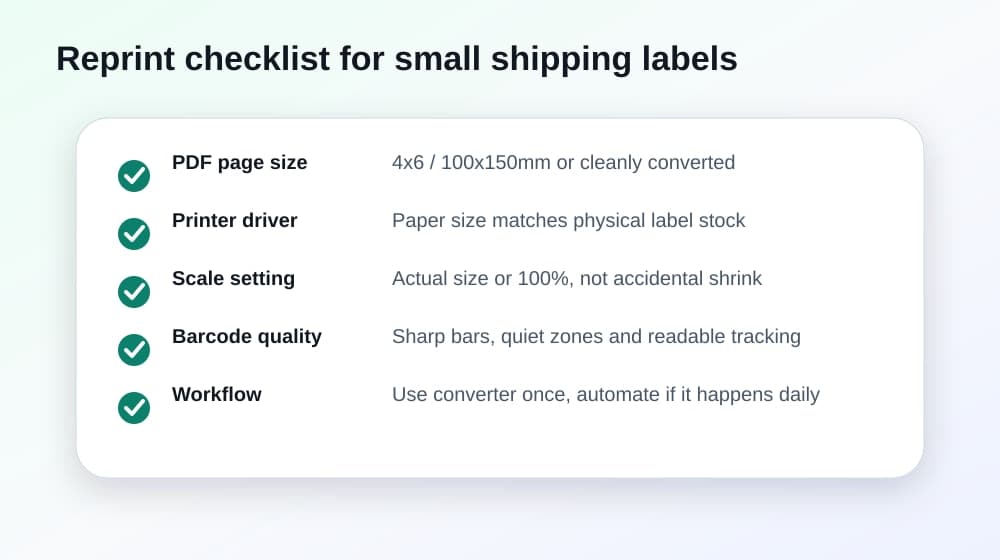
Use this reprint checklist.
- Original PDF page size is known.
- Printer paper size matches the physical label stock.
- Scale is actual size or 100 percent for a true 4x6 PDF.
- Browser headers, footers and margins are off.
- Fit to page is not shrinking an already-correct label.
- The barcode is sharp, complete and not too close to the edge.
- The address and tracking number are readable.
- One test label looks like the preview before you print a batch.
If the label fails the checklist, fix the workflow before you ship.
How to fix a label that printed too small
Start with the PDF, not the printer.
Open the file and identify the page size. If it is already 4x6 or 100x150mm, set the thermal printer paper size to the same stock and print at actual size or 100 percent. Turn off fit to page, shrink oversized pages and browser margins.
If the PDF is A4 or Letter, convert the label area before printing. For a one-off label, use the free A4 to 4x6 shipping label converter. Convert the file, then print the converted 4x6 PDF at 100 percent.
Avoid screenshotting the label, pasting it into a document and resizing by eye. Screenshots can blur barcode edges, and resizing by hand can create a label that is both small and fuzzy. If that already happened, use the blurry shipping label barcode guide before sending parcels.
If the same PDF format keeps arriving every day, the manual fix is not really fixed. You have moved from a print problem to a workflow problem.
When to automate the crop and print workflow
If this happened once, a converter and a saved printer preset are enough.
If it happens every day, the repeated steps become the expensive part. Open PDF, check page size, crop label, set 4x6, print one test, adjust scale, repeat tomorrow. That is the boring admin LabelChop was built to remove.
LabelChop watches your Downloads folder, detects compatible shipping-label PDFs, crops or resizes them to 4x6 / 100x150mm, then prints or saves the output automatically.
It can help with PDF workflows from carriers and marketplaces like USPS, Royal Mail, Australia Post, eBay, Shopify and Etsy. That does not mean LabelChop is an official integration with those services. It means it helps when the PDF you already downloaded needs clean thermal-printer output.
For recurring awkward PDFs, compare whether the LabelChop pricing makes more sense than rechecking print scale by hand for every batch.
Related guides and tools
Use these next, depending on what went wrong.
- 4x6 shipping labels: print settings and PDF setup, for the baseline paper size, scale and PDF workflow.
- Shipping label printing too small? Fix 4x6 scaling, for exact tiny-label symptoms.
- Shipping label print scale calculator, for comparing actual size, fit to page and custom scale.
- Carrier requirements label checker, for reviewing source PDF, margins, barcode quality and sample-label risk before live postage.
- Shipping label size checker, for checking A4, Letter, A6, 4x6 and 100x150mm PDFs before printing.
- A4 to 4x6 shipping label converter, for one-off awkward PDFs that need clean 4x6 output.
The goal is not to make every label exactly 4x6 at all costs. The goal is to print the label at the size it was designed for, with readable address details and a clean barcode. If your workflow accidentally shrank the label, reprint from the original PDF before it reaches the parcel.